
Shred The Cash Official Links & Resources
Play on Roblox, credit Alchemist Devs, then jump back into codes and guides on this fan wiki.
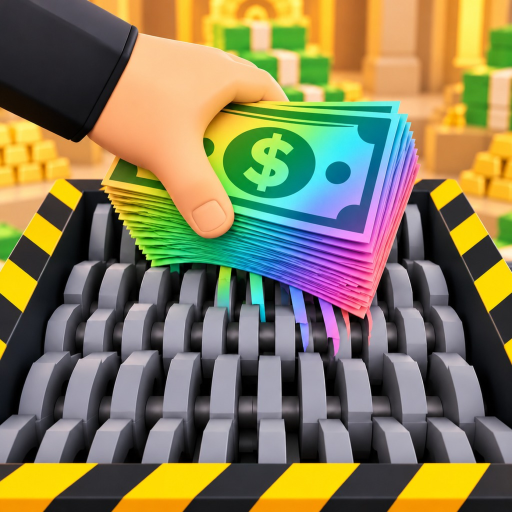
This Official Links hub collects the trusted destinations around Shred The Cash so you are never guessing which button is the real game and which page is community documentation. The experience is published by Alchemist Devs on Roblox; this website (shredthecash.wiki) is an independent fan wiki—not an official Alchemist Devs product.
Play Shred The Cash
- Official Roblox experience: Play Shred The Cash on Roblox
- PlaceId:
70567592362925 - UniverseId:
10772951756 - Release date: 25 October 2026
- Price: Free
- Platforms: Desktop, Mobile, Tablet
- Server size: Up to 20 players
- Co-op: Up to 4 friends
Always join from the official Roblox URL above (also stored as gameUrl in this site’s configuration). Third-party “private server” lookalikes or random model links are outside the scope of this wiki.
About Alchemist Devs
Alchemist Devs is the studio credited for Shred The Cash. For group shout-outs, ownership checks, and studio-authored news, use Roblox’s official creator/group surfaces attached to the experience page. When they publish new promo codes or patch commentary, we mirror player-facing details into:
- Codes Hub — active strings like
RELEASE,VAULT, andShred - Updates Hub — launch and growth notes
- Launch patch — day-one systems baseline
What this fan wiki covers
| Section | Purpose |
|---|---|
| Codes | Free Gem redemptions and steps |
| Guides | Loop tutorials and Getting Started |
| Tier lists | Tools and Classes rankings |
| Classes & Co-op | Gem rolls and four-player tactics |
| Scripts | Optional automation docs with ban warnings |
| Updates | Patch history |
Use the wiki for strategy; use Roblox for the live client, purchases, and account security.
Fan wiki disclaimer
- We are not employed by Roblox Corporation or Alchemist Devs.
- Drop tables, code statuses, and tier letters can lag live hotfixes—date-check Updates and Codes.
- Script pages document community loaders for education and risk awareness; they are not endorsements.
- Trademarks and game assets belong to their respective owners.
If something on the wiki conflicts with the in-experience UI, trust the live game, then tell the wiki maintainers conceptually by comparing against the official page.
Quick start from this links page
- Click the official Roblox play link and finish loading into the vault.
- Redeem codes on the Codes Hub checklist.
- Follow Getting Started for the first upgrades.
- Spend cash with the Tools tier list and Gems with Classes overview.
- Invite friends using the Co-op guide when you want faster clears.
- Recheck Launch patch notes after breaks so you know what “normal” looks like.
Safety links mindset
Never paste account passwords into “code verify” fake sites. Shred The Cash codes redeem inside the game HUD (top-right Codes → REDEEM). This wiki will never ask for your Roblox password. Treat executor downloads referenced from Scripts as high risk; prefer the legitimate loop.
Summary
- Play: official Roblox URL for Shred The Cash.
- Studio: Alchemist Devs.
- Docs: this fan wiki’s codes, guides, tiers, players, scripts, and updates sections.
- North star loop: scoop → backpack → shred → upgrade → Rainbow Cash → Gem Classes.
Bookmark this Official Links hub, but make Codes and Guides your daily clicks once you already own the play button.
Frequently Asked Questions
Quick answers for shredding faster and claiming rewards safely.
Is shredthecash.wiki an official Alchemist Devs site?
No. It is a fan-made wiki. The official game runs on Roblox under Alchemist Devs.
Where do I play Shred The Cash?
Use the official Roblox experience link for PlaceId 70567592362925 linked at the top of this page.
Where should I redeem codes?
Inside the game via the top-right Codes button. Use this wiki’s Codes Hub for the active list, not third-party password forms.
What wiki pages should I open after playing?
Codes for free Gems, Getting Started for the loop, then Tools and Classes pages for spending plans.
Do you host the Roblox client downloads?
No. Install and launch Roblox through official Roblox channels, then join Shred The Cash from the experience page.